Reviving a smart garden after its vendor shut down
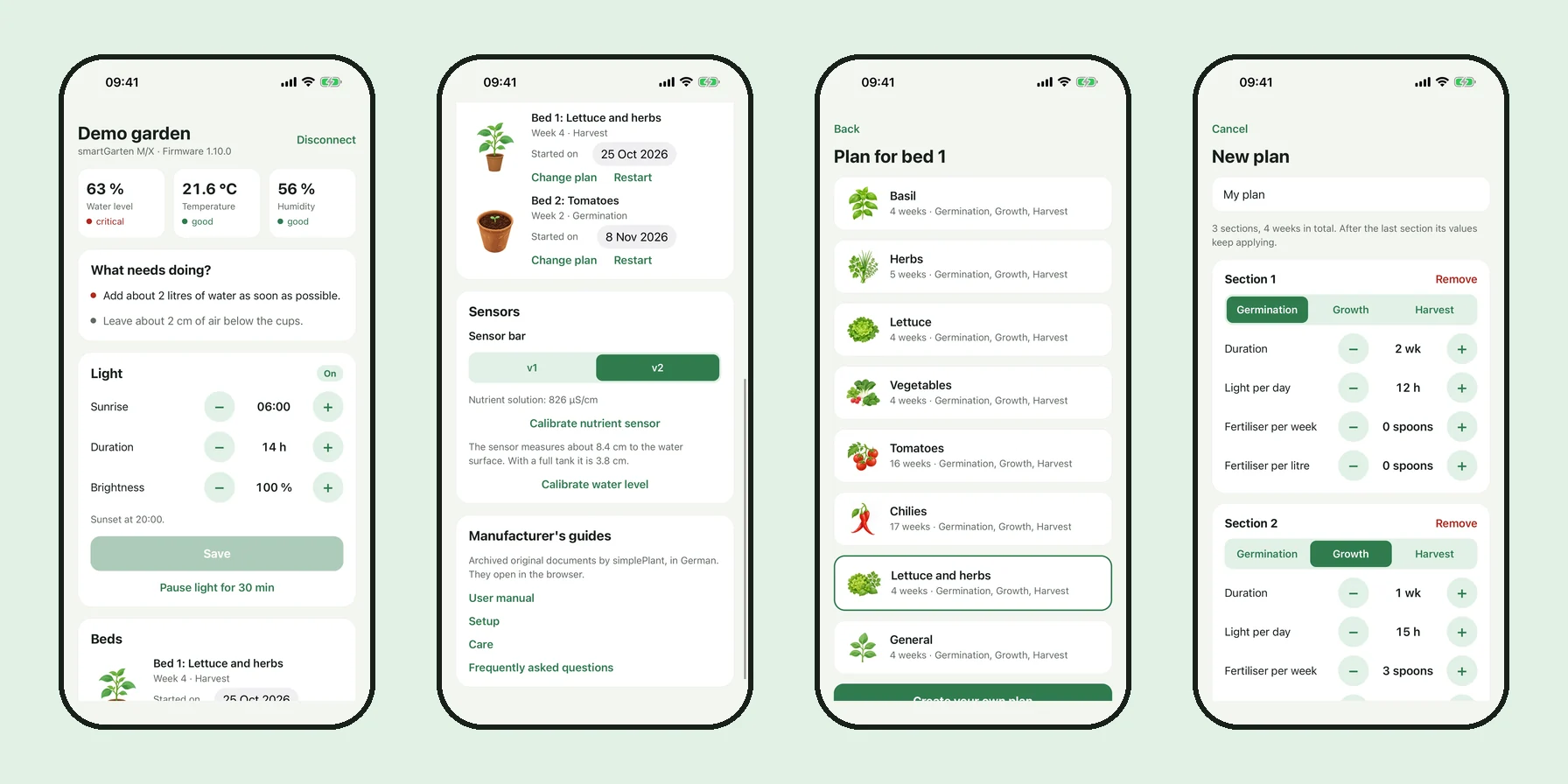
I own a smartGarten, an indoor garden by a Hamburg company called simplePlant. It has two beds, a water tank, a grow light and a sensor bar. You set it up with a phone app over Bluetooth. There are no buttons on the device.
simplePlant went into liquidation in June 2024 and was struck from the commercial register in January 2026. The app is gone from the stores. The garden still runs, but only on the light schedule it was last given, and its clock drifts. Without the app I couldn't change the schedule or start a new bed. The hardware was fine. It just had nobody left to talk to.
So I wrote a replacement. It is called Zweitblüte, German for "second bloom", and the code is on GitHub under GPL-3.0. This post is about how I got from a device with no documentation to an app that controls it. I did the work in one day, together with Claude Code, and I'll say where that helped and where it got things wrong.
What the device says about itself
The first step needed no cleverness. I wrote a short Python script with bleak that connects, lists the GATT table, reads everything readable and listens to notifications. It writes nothing.
SERVICE 71d7fe50-a841-4c27-9a80-5307bee17c2a
  CHAR b9544000  [read]          31 2e 31 30 2e 30          |1.10.0|
  CHAR b9544001  [write,read]    67 71 53 85 07 67 71 53 5f 02
  CHAR b9544002  [notify,read]   41 f7 9e 77 41 83 52 1d 42 89 7d 26 00 00 ...
  CHAR b9544003  [write,read]    05 00 03 48 ff 00 00 00 00
  CHAR b954400f  [write]
...One service, twelve characteristics, no pairing. Anyone in Bluetooth range can read and write all of it. That is bad for security and convenient for me.
Some of it was readable right away. 1.10.0 is the firmware version in ASCII. The 24 bytes on 4002 arrive every five seconds and split into six big-endian floats: 41 f7 9e 77 is 30.95, 41 83 52 1d is 16.4, 42 89 7d 26 is 68.7. A tank a third full, a cold room and humid air. That matched what I saw standing next to the thing.
The rest was guesswork at this point. 05 00 03 48 ff on 4003 looked like a light schedule, since 05:00 and 0x0348 = 840 minutes = 14 hours fit how I had set it up. But a guess about a byte layout is not something I want to write to a device I can't factory reset.
The firmware names the fields
I found the last Android release of the original app on an APK mirror and checked that its SHA1 matched the one listed there. It is a Flutter app, and in its assets sits firmware.bin, the image the app would flash during an update. Version 1.10.0, the same as on my device.
The device is an ESP32 running Arduino code, and whoever wrote the firmware logged generously. The strings in the binary read like a spec:
Set new light info - Start: %i:%i Duration: %i Intensity: %i Snooze: %i
Set new garden info - Start0: %i Type0: %i Start1: %i Type1: %i
lightStatus request is wrong! Size: %i
SENSOR CONFIG CHANGED! RESTART REQUIRED!Strings give you names and order, not offsets. For those we disassembled the write handlers. BleLightStatusService::onWrite checks for exactly nine bytes and reads them as hour, minute, duration in minutes as a 16-bit big-endian value, intensity, and a 32-bit timestamp until which the light pauses. BleTimeService::onWrite wants exactly four bytes, a Unix time.
This is the part where Claude Code saved me the most time. Reading Xtensa disassembly by hand would have taken me days. It went through the handlers one by one and gave me the address for each claim so I could look for myself.
Writing, carefully
Reading a firmware tells you what the code expects. It doesn't tell you what the lamp does. So every layout got a test on the real device, and every test script follows the same rule: read the current value, write the new one, read it back, wait, then write the original value again, even if something fails in between.
original   05 00 03 48 ff 00 00 00 00
step 1     00 00 05 9f ff 00 00 00 00  holding 15s
step 2     00 00 05 9f 40 00 00 00 00  holding 15s
restored   05 00 03 48 ff 00 00 00 00
restore okStep 1 sets the schedule to midnight plus 1439 minutes, so the lamp has to be on whatever the time is. It came on. Step 2 changes byte 4 from ff to 40, and the lamp dimmed. Fifteen seconds of staring at a lamp, and three fields were confirmed.
The pause got the same treatment: a 40 second pause, lamp off, lamp back on by itself.
The clock was wrong
One thing had bothered me from the start. With the schedule at 05:00 plus 14 hours, the lamp should have been on at 1 pm. It was off.
The firmware has no time zone and no way to read the clock back. It compares the schedule against whatever epoch value it was last given, and the last time anyone gave it one was when the original app still existed. After I wrote the current local time to 400f, the lamp came on.
I still don't know whether the original app wrote UTC or local time. It doesn't matter as long as the app is consistent, so Zweitblüte writes local time as if it were an epoch and sets the clock on every connect. Daylight saving fixes itself the next time you open the app.
Two things we got wrong
The sensor configuration on 4016 is nine bytes, one sensor type per byte. The first reading took them in order, which put the nutrient sensor at a byte that was zero. The notes said "no nutrient sensor", the app hid that part of the UI, and it all looked consistent. Later the disassembly of the handler showed that the firmware uses bytes 0, 1, 3, 4, 5 and 6 and skips the rest. My device has a nutrient sensor after all.
That raised the next question, because the nutrient fields in the status were zero too. The reason was embarrassingly physical. With the tank at 30 percent, the probe hung in the air. I put it in a glass of tap water and the fields jumped to about 600.
Both mistakes were plausible readings that nothing contradicted. Since then every statement in the protocol notes carries a label. Either it was measured on the device, or read from the firmware or app, or it is still an assumption. The assumptions are the to-do list.
The app did the thinking
The surprise of the project was how little the device does. It measures, stores a few settings and switches a lamp. The traffic light colours, the advice on water and fertiliser and the plant programmes all lived in the phone app. There was never an account or a server.
So replacing the app meant recovering that logic too. The plant database was easy, three CSV files in the app's assets with targets per programme and week. The formulas were compiled into Dart AOT code. blutter turns that back into something readable, with the original file and class names intact. From there:
litres = (target - max(level, 0.1)) * 7.8
spoons = (ecTarget - ecMeasured + 20) * level / divisor
divisor = 255 from 90 % fill, 320 from 80 %, 435 from 60 %, else 665I have no idea where 665 comes from. Somebody at simplePlant presumably stood over a tank with a measuring spoon. Zweitblüte uses the same numbers so that an existing garden behaves the way its owner is used to.
Building the app
The app is Expo with React Native and TypeScript, and react-native-ble-plx for Bluetooth. The protocol code is one file of pure functions that turn bytes into objects and back, with tests built from the captures of my device. That part I trust.
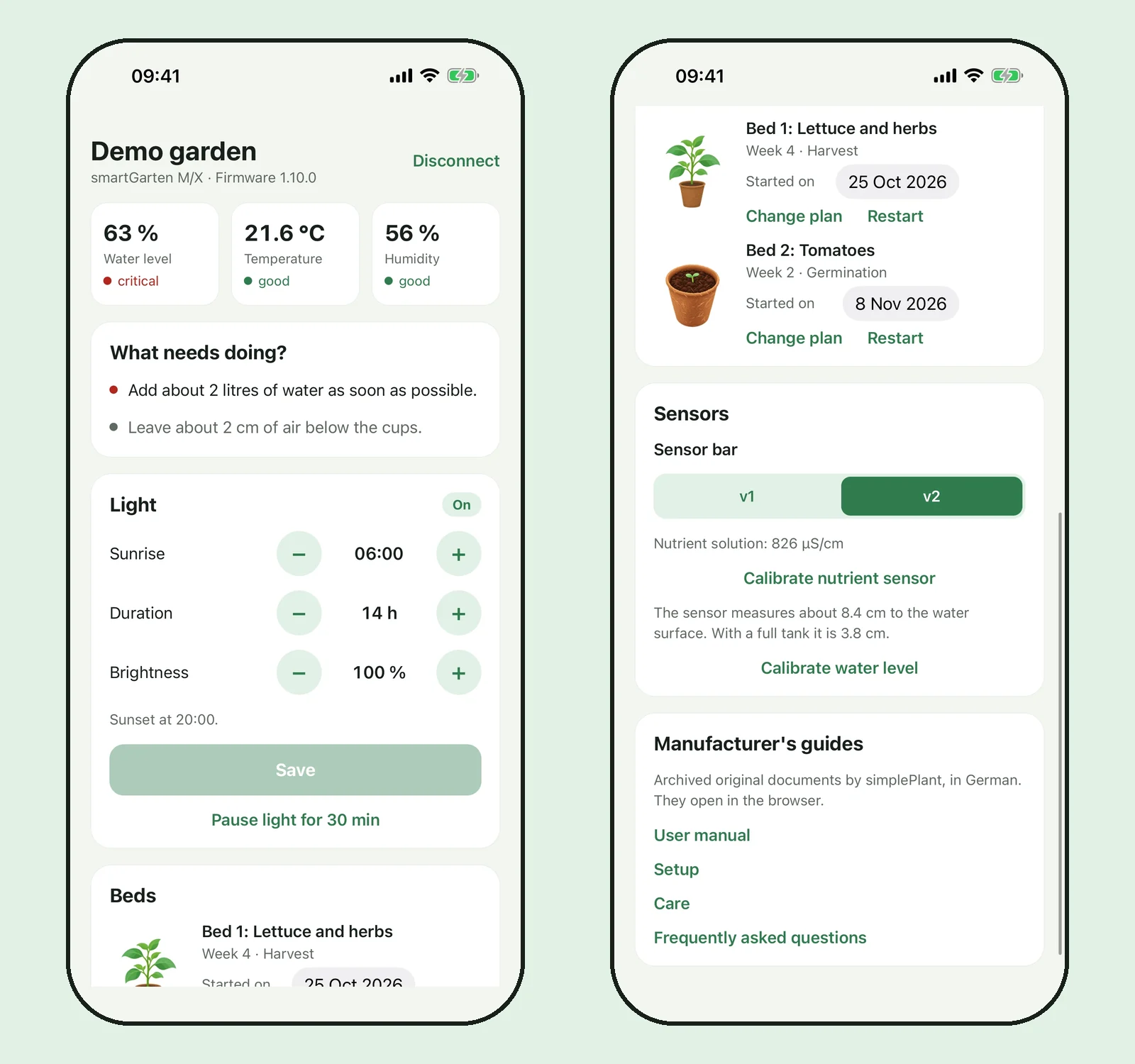
Neither the iOS simulator nor the Android emulator has usable Bluetooth, so the app has a demo garden that fakes a device. I built it for development and kept it for everyone who wants to look at the app without owning the hardware.
Two things go beyond the original. The manufacturer's website is gone, so the app links the manuals from the Internet Archive, picked by the model the device reports. One setup guide wasn't archived yet, so I saved it there. And because no new plant programmes will ever arrive, you can write your own: sections with a phase, a duration, hours of light and fertiliser amounts.
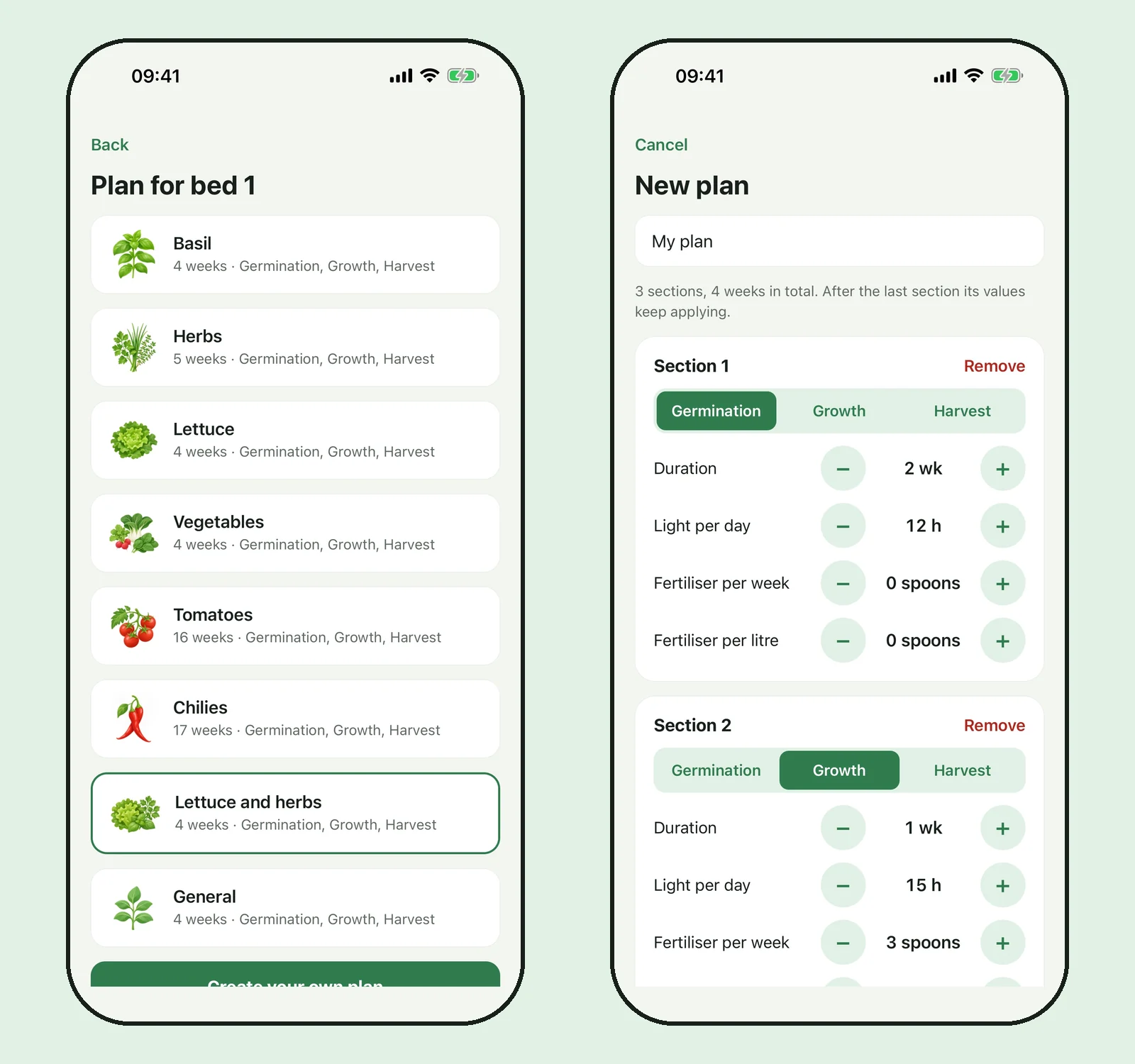
What I left out of the repository matters too. The original app and the firmware are not in it, only what I learned from them. The illustrations are new, none come from the original app. The plant values are in, because without them the gardens would behave differently than before.
What is still open
I have tested with exactly one device, on one firmware version, with an iPhone. Light, clock, pause and sensor values are confirmed on it. Starting a bed, the calibrations and switching the sensor bar are implemented from the firmware and the original app, but I haven't triggered them on my device yet, and the README says so line by line. Android builds and runs with the demo garden. Nobody has connected it to a real garden so far.
Firmware update is missing on purpose. I know the two characteristics and the status messages, but not the format, and a failed update on a device without a vendor is the one mistake I can't undo.
There is an Android test build under Releases, and the App Store submission is prepared. If you own a smartGarten S, E, M or X, a capture from tools/ble_dump.py in an issue would already help. It takes a minute and writes nothing to your device.
The lamp comes on at five in the morning again, and goes off fourteen hours later.